
Hi everyone! Welcome to the pentestguy. In this article we are going to setup vulnerable adcs lab, here we are going to start with really basics things that installing active directory domain services, promote as domain controller, and the most important thing to setup vulnerable active directory certificate services lab using the vulnerable-adcs powershell script. This test/practice environment that allows you to test the most common AD CS attacks (ESC1 to ESC8).
Setup an Active Directory Domain Controller
To create an active directory domain controller or shortly called as ADDC, we need server operating system like Windows Server 2019, 2016, etc. Install the operating system as usual.
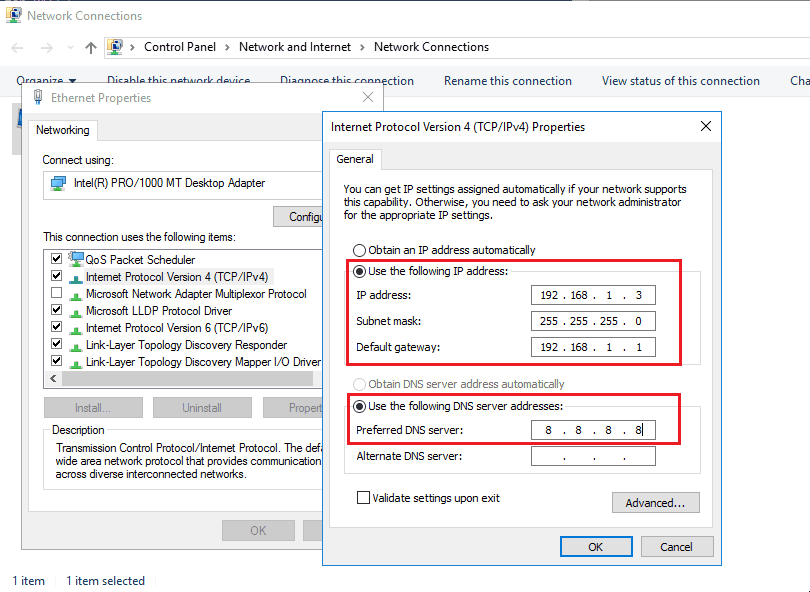
First make sure to setup a static IP address to the machine. For an effective vulnerable adcs lab setup, make sure the IP won’t change for consistency, and you can add google public dns in the dns section.
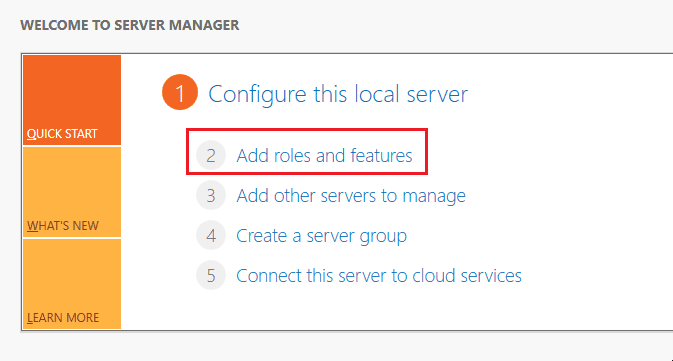
Open the server manager and click on add roles and features.
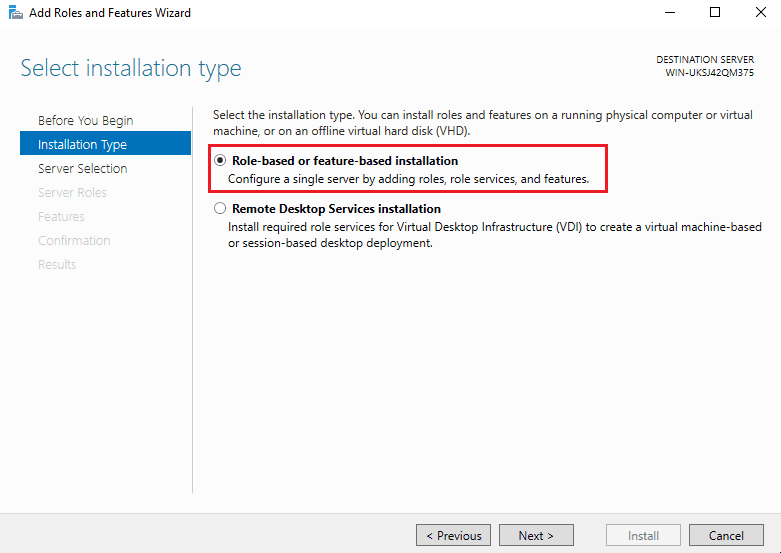
Select the role based installation option as we are going to install the services on the local server.
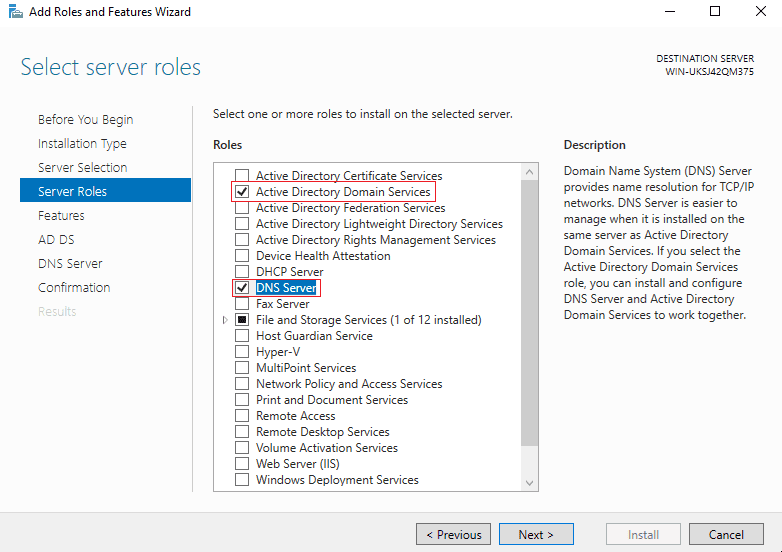
After that simply click on the server and click next in server selection. Now select the server roles which is given in the below picture.
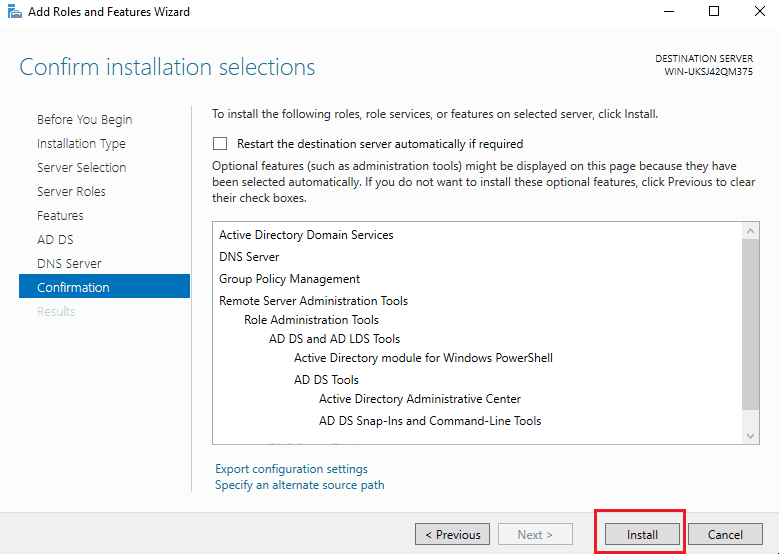
Continue with the Features -> AD DS -> DNS Server and install the services.
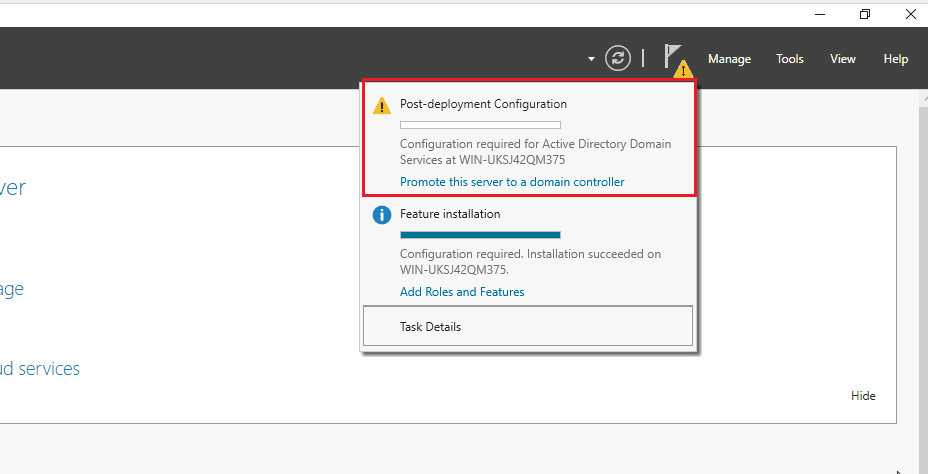
After installation of roles, Promote server as domain controller.
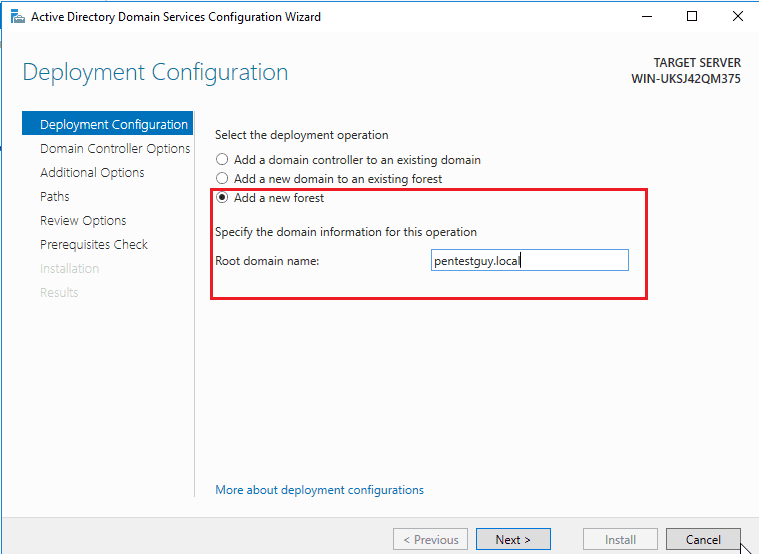
Create a new forest and add the root domain name.
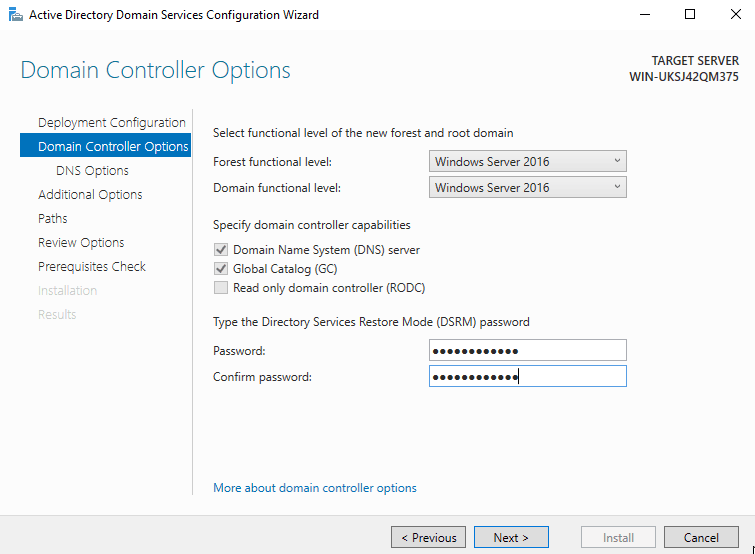
Set password and functional level of the domain controller.
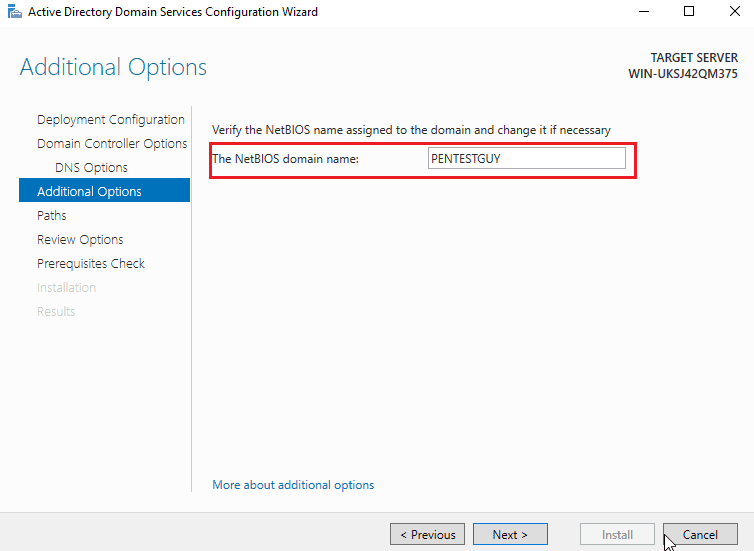
Check for the NetBIOS domain name and next.
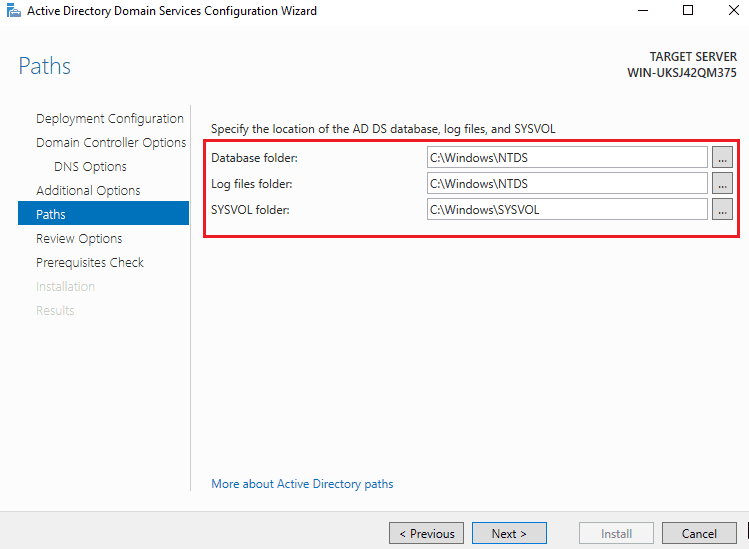
Check for the log location or leave as default..
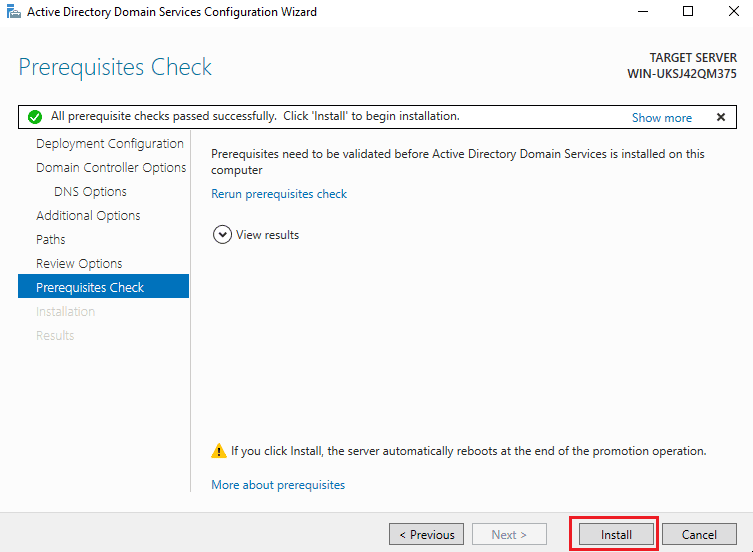
Review the settings and click on install. It will automatically restart the server.
Vulnerable ADCS
Domain controller is ready now, let’s make it vulnerable by adding certificates misconfigurations using Vulnerable-ADCS powershell script. Experimenting with various settings helps to simulate a vulnerable adcs lab setup in a controlled way.
Download the Vulnerable ADCS – https://github.com/sechive-labs/Vulnerable-ADCS
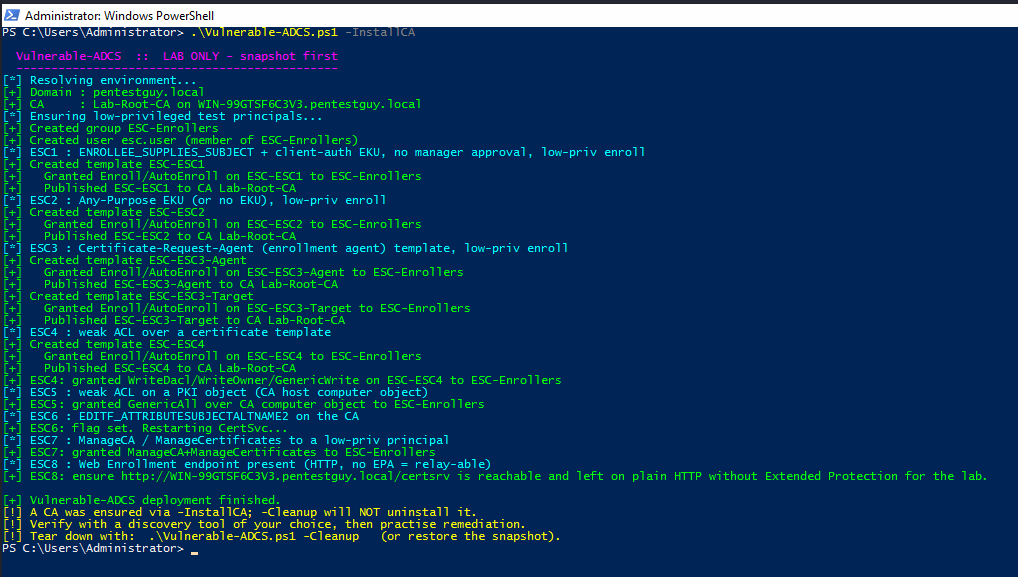
Open powershell and run the following commands to execute the vulnerable-adcs powershell script. In turn, these steps are crucial for your own vulnerable adcs lab setup that mirrors real-world attack scenarios.
.\Vulnerable-ADCS.ps1 -InstallCA
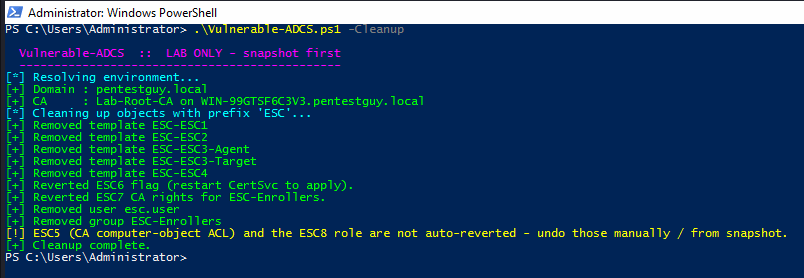
Open powershell and execute the command below to cleanup or tear down the vulnerable adcs misconfigurations. Keep in mind that few things need to remove manually.
.\Vulnerable-ADCS.ps1 -Cleanup
Conclusion
This is how anyone can setup the Vulnerable Active Directory Certificate Services Misconfiguration to practice the real time active directory attack scenarios. Also if you want to setup a general vulnerable active directory lab then follow – https://pentestguy.com/active-directory-pentesting-lab-setup/
If you found this post helpful then please share it with your co-workers and friends. Please provide your valuable comment and let us know if there is any suggestion. Now you can also collab with us please check our collaboration page, thank you!

