
Introduction:
Sonarqube is one of the popular static code analysis platform developed by sonar. It scans source code to detect issues like bugs, vulnerabilities and code smells on various programming languages. This post is complete setup about how integrate sonarqube in azure devops.
SonarQube CE Setup:
Use sonarqube community version if you are testing it for personal use. Obviously, sonarqube community version comes with some limited features. Configure it using docker, make sure docker is installed on your system.
Save the code below, and named the file docker-compose.yml
version: "3.8"

services:
  sonarqube:
    image: sonarqube:lts-community
    container_name: sonarqube
    depends_on:
      - db
    ports:
      - "9000:9000"
    environment:
      SONAR_JDBC_URL: jdbc:postgresql://db:5432/sonarqube
      SONAR_JDBC_USERNAME: sonarqube
      SONAR_JDBC_PASSWORD: sonarqube
    volumes:
      - sonarqube_data:/opt/sonarqube/data
      - sonarqube_extensions:/opt/sonarqube/extensions
      - sonarqube_logs:/opt/sonarqube/logs
    restart: unless-stopped

  db:
    image: postgres:16
    container_name: sonarqube-db
    environment:
      POSTGRES_USER: sonarqube
      POSTGRES_PASSWORD: sonarqube
      POSTGRES_DB: sonarqube
    volumes:
      - postgresql:/var/lib/postgresql
      - postgresql_data:/var/lib/postgresql/data
    restart: unless-stopped

volumes:
  sonarqube_data:
  sonarqube_extensions:
  sonarqube_logs:
  postgresql:
  postgresql_data:
Open terminal from location where docker-compose.yml located and execute the below command to run sonarqube.
docker compose up -d
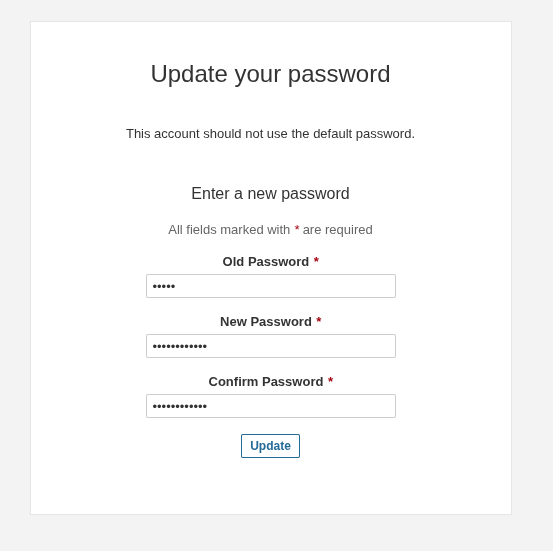
As this setup is completely local, open http://localhost:9000 which will be the dashboard of sonarqube. Provide default credentials admin:admin, make sure to set strong password.
Integrate with Azure DevOps:
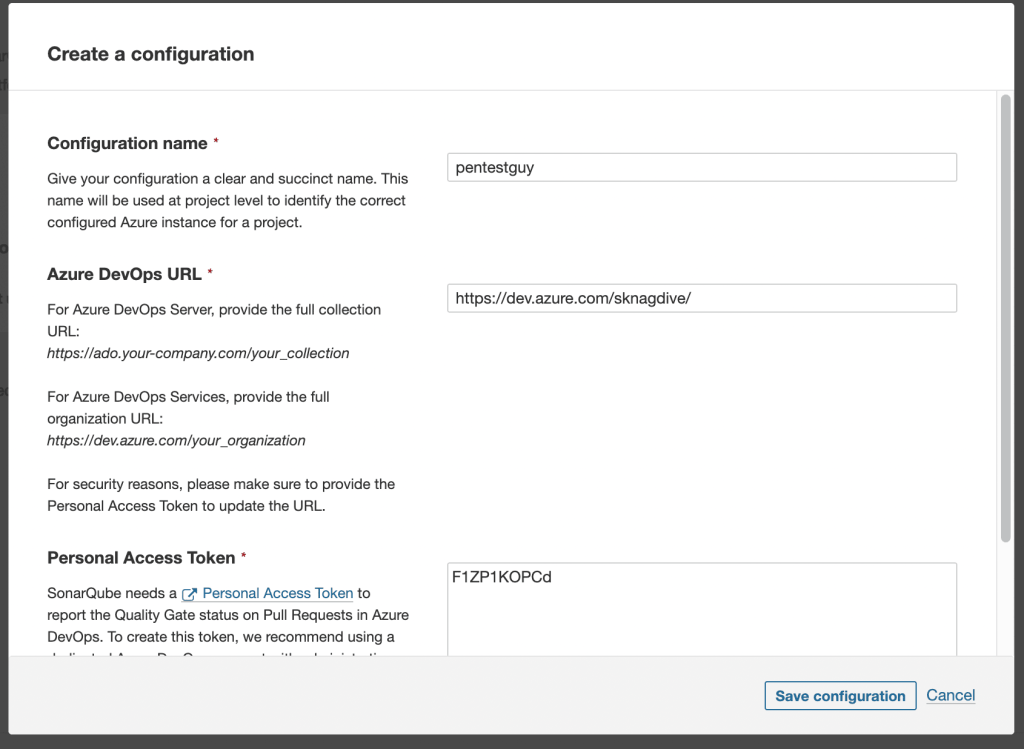
Integrate azure devops with sonarqube instance. Select Azure devops option and provide the required details like name of connection, azure devops organization url and PAT token generated from azure devops portal.
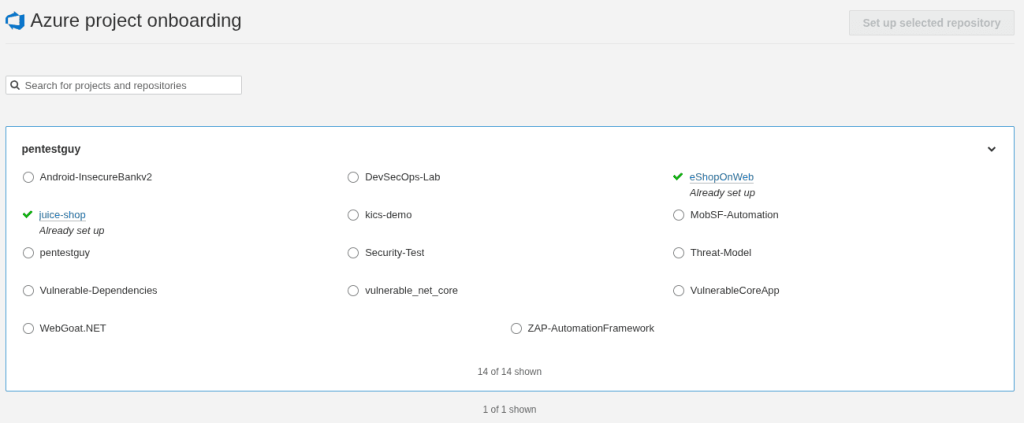
After successful integration, we are able to see the available projects on azure devops. Select project which you want to onboard.
Select azure pipelines option for configuration.
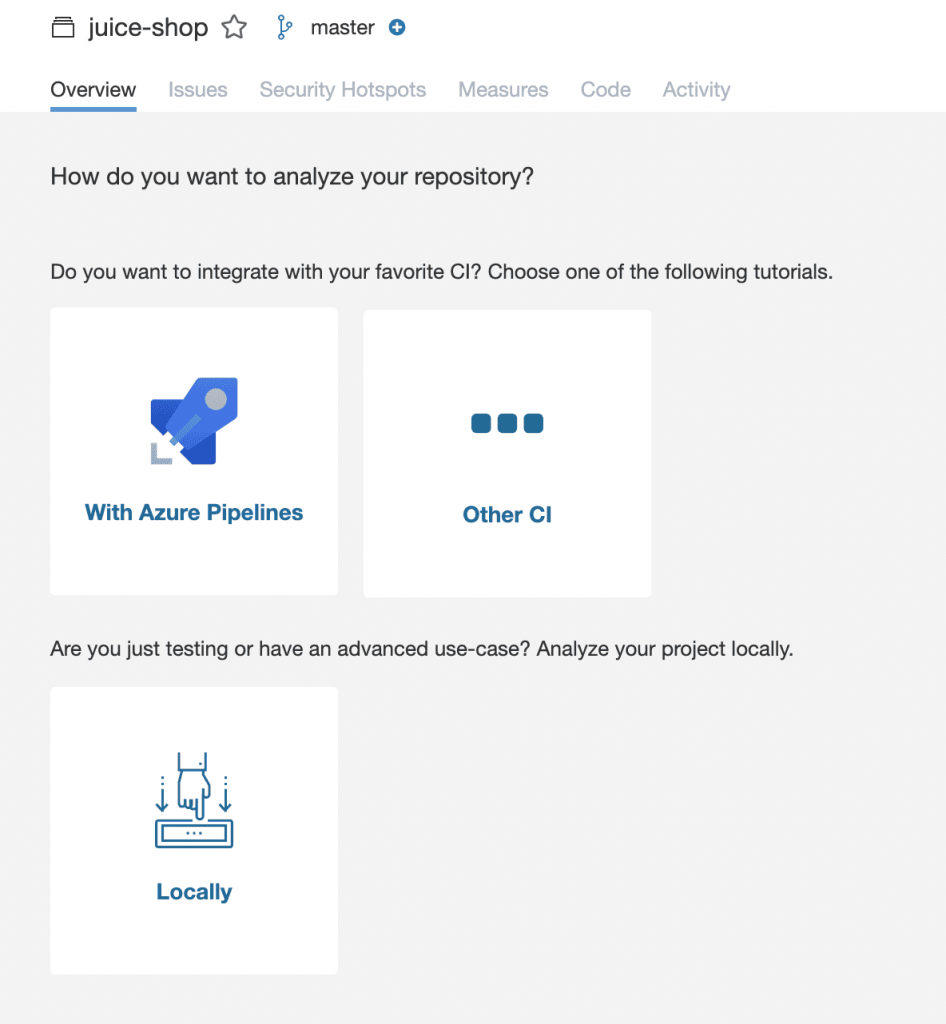
In configuration, steps the first task is to create the service connection.
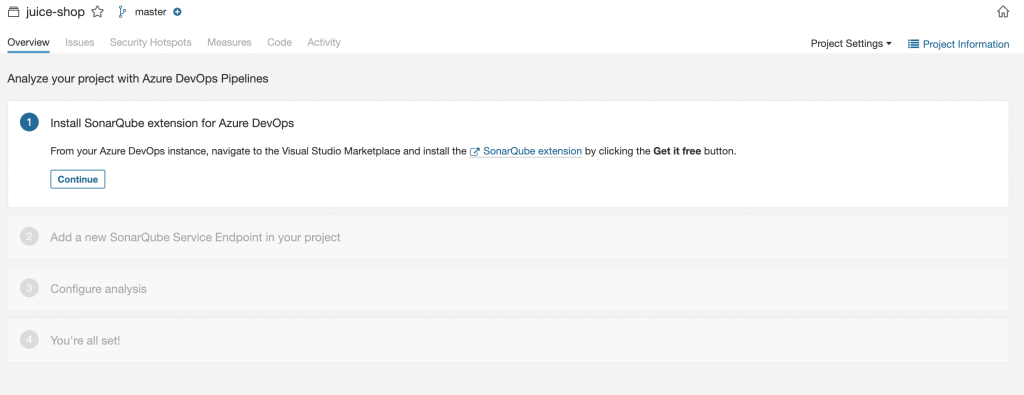
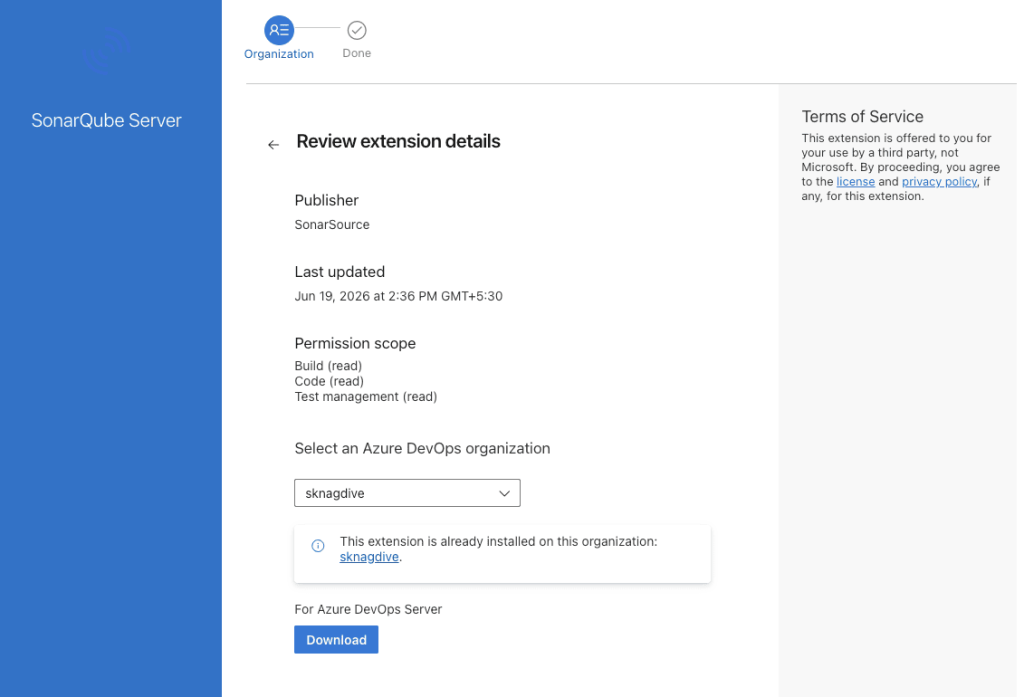
Lets integrate sonarqube with azure, download the sonarqube server plugin from azure marketplace using the link – https://marketplace.visualstudio.com/items?itemName=SonarSource.sonarqube
Click on Get it free and download it for your azure devops organization.
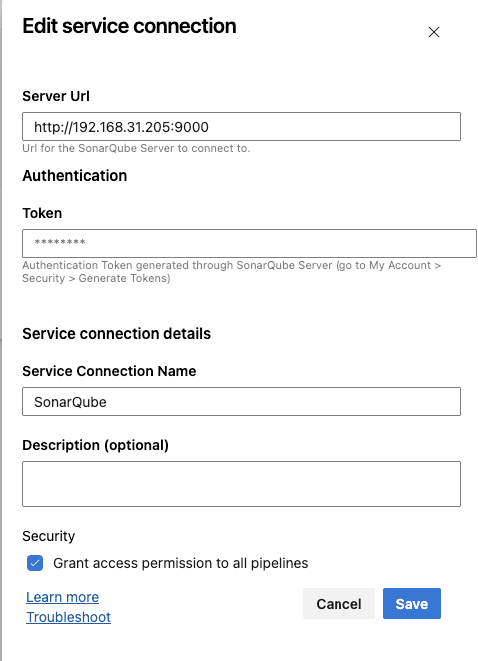
After Installation, navigate to azure devops project settings. Under Pipelines -> Service connections and create new service connection select SonarQube Server. Provide the details like Server URL where your sonarqube sever hosted, authentication token create from sonarqube account settings and service connection name(which can be use in yaml template).
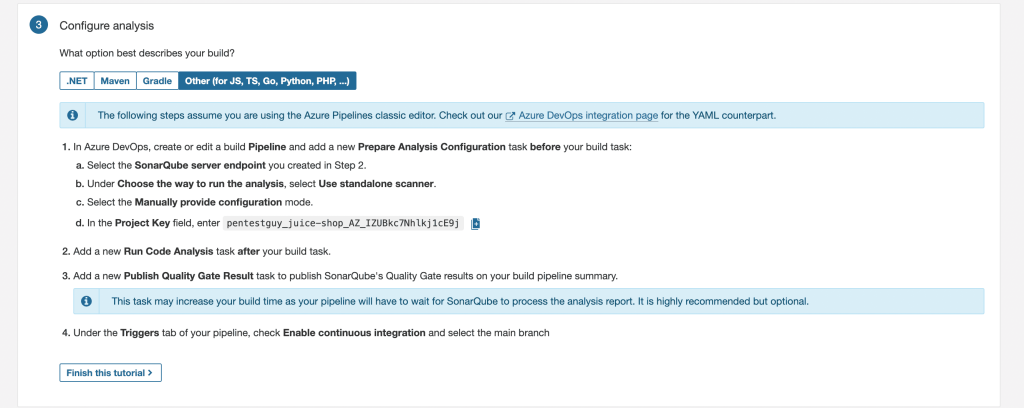
Complete the rest of the steps, and select the technology in configure analysis step; which will give projectkey. Projectkey needs to set in the below yaml template.
Build & Run Azure DevOps Pipeline:
For demo I have used juice-shop repository which is a vulnerable repo/application as according to that added task like npm install. Use the below template where the sonarqube tasks will be same, and dependencies task will vary as per project technologies.
trigger:
- master

pool:
  name: Self-hosted

steps:
- task: SonarQubePrepare@7
  inputs:
    SonarQube: 'SonarQube'
    scannerMode: 'CLI'
    configMode: 'manual'
    cliProjectKey: 'pentestguy_juice-shop_AZ-VwL9edcVeWR41g65G'
    cliProjectName: 'juice-shop'
    extraProperties: |
      sonar.sources=.

- script: |
    npm install
  displayName: 'Install dependencies'

- task: SonarQubeAnalyze@7

- task: SonarQubePublish@7
  inputs:
    pollingTimeoutSec: '300'
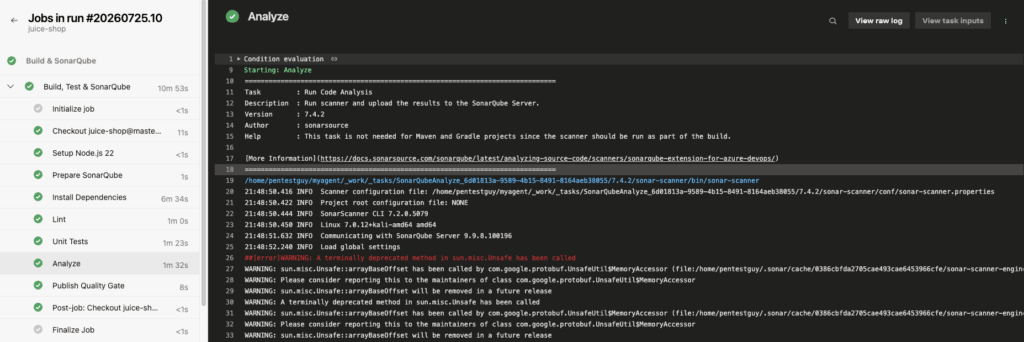
After execution of pipeline, result should look like below on the pipeline.
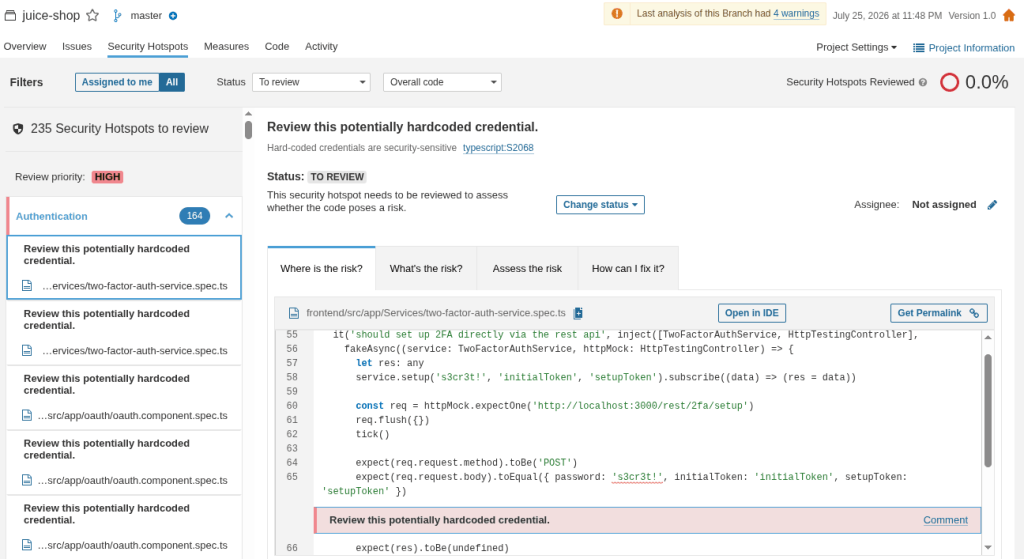
From sonarqube dashboard, the results will be as below.
Conclusion:
This is the simple way to integrate sonarqube community edition in azure devops. Want to collaborate on real-world testing, tool development, or writing? Reach out via the Collaboration page. Thank you!!

